Pick the best website for REALITY
What is REALITY?
REALITY is a TLS-based privacy transport feature implemented in Xray-core. Unlike traditional self-signed certificate setups, REALITY does not require you to own a domain or provision a TLS certificate. Instead, it reuses the TLS handshake parameters of a real, existing website, resulting in better connection compatibility and stability.
To use REALITY, you need to configure a target website on the server
side (dest / serverName). Choosing the right
target website matters — a poor choice can slow down the handshake,
reduce connection stability, or degrade overall performance.
What makes a good target website?
A suitable REALITY target website should meet the following criteria:
- TLS 1.3 support — REALITY depends on the TLS 1.3 handshake process; the target must support it.
- ALPN h2 (HTTP/2) support — also required for the REALITY handshake.
- Same subnet or geographically close to your VPS — the lower the handshake latency, the better; ideally under 1ms.
- Low-profile — high-traffic sites like
www.microsoft.comhave distinctive connection patterns; a low-traffic site gives a more stable, less noisy handshake. - CDN-backed or in the same ASN as your VPS — this means the site is topologically close, keeping handshake round-trips fast.
The traditional approach: manual scanning
In Xray-core Issue #2005, user @us254 described a manual validation workflow.
Run RealiTLScanner on the client:
1 | |
Run OpenSSL on the server:
1 | |
If both checks pass, the domain meets the basic requirements for REALITY. The problem is that this requires testing domains one by one, and finding something that is both in the same subnet and low-profile is not straightforward.
A better approach: bgp.tools
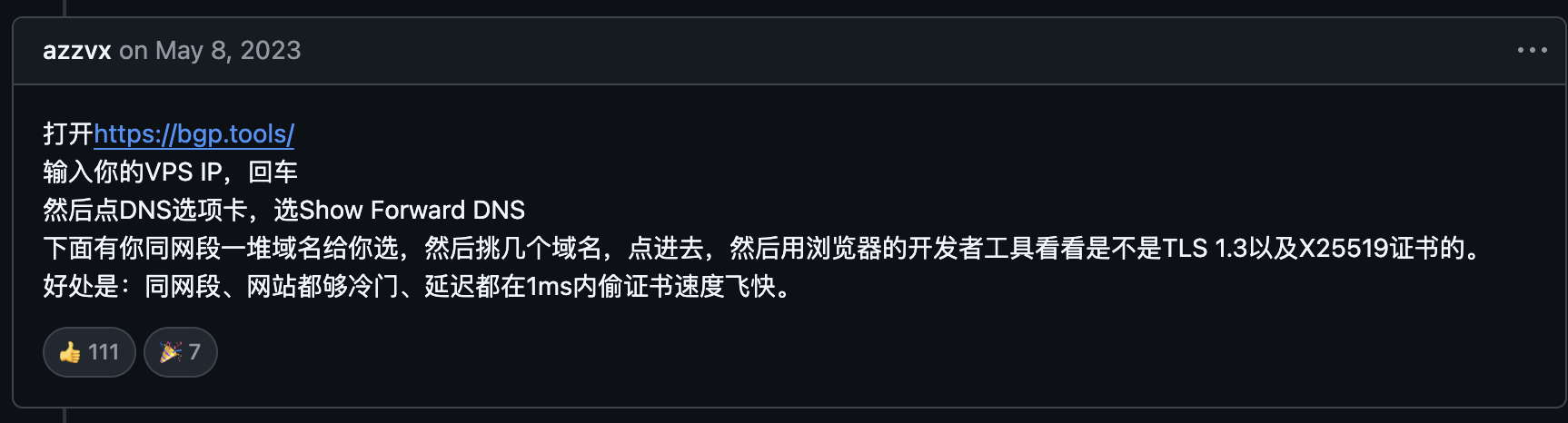
In the same issue, @azzvx shared a tip that received 110+ upvotes. The key insight is: find candidate domains directly from your VPS’s subnet.
Here’s how:
Step 1 — Open bgp.tools
Step 2 — Enter your VPS IP and press Enter
bgp.tools will show the ASN, subnet, and other routing information for that IP.
Step 3 — Click the DNS tab and select “Show Forward DNS”
This lists a large number of domains that share the same subnet as your VPS. Since they are topologically co-located with your server, handshake latency is extremely low — typically under 1ms.
Step 4 — Pick a few candidates and verify them in your browser
Visit each candidate domain, open the browser developer tools (F12) → Security panel (or inspect the request in the Network panel), and confirm: - TLS version is TLS 1.3 - Key exchange is X25519
Any domain that passes is a valid REALITY target.
Why this works well
| Property | Benefit |
|---|---|
| Same subnet | Topologically close to your VPS — handshake latency under 1ms |
| Low-profile | Reverse-DNS lookups tend to surface obscure sites, not popular ones |
| Fast handshake | TLS negotiation completes extremely quickly |
| No extra tools | Browser dev tools are all you need to verify |
Summary
When picking a REALITY target website, rather than guessing from a list of well-known domains, use your VPS’s own subnet as the search space. bgp.tools Forward DNS makes it easy to surface co-located, low-profile domains that support TLS 1.3 and X25519 — the whole process takes just a few minutes.
Source: Xray-core Issue #2005 (Web Archive), credit to @azzvx.